
Behavior Log & Intervention Tracker
Write down what actually happened in about a minute, while it is still exact: the trigger, what you tried, and how it went.
- ✓No login
- ✓No install
- ✓No student accounts
- ✓Works offline
Why teachers keep this one open
Three weeks after an incident, nobody can reconstruct what set it off or what you tried. But that is exactly when the referral gets written, the parent asks, or the meeting happens.
A behavior log is only worth keeping if it captures the part that matters: not just that something happened, but what came before it, what you did, and whether it worked.
How it works
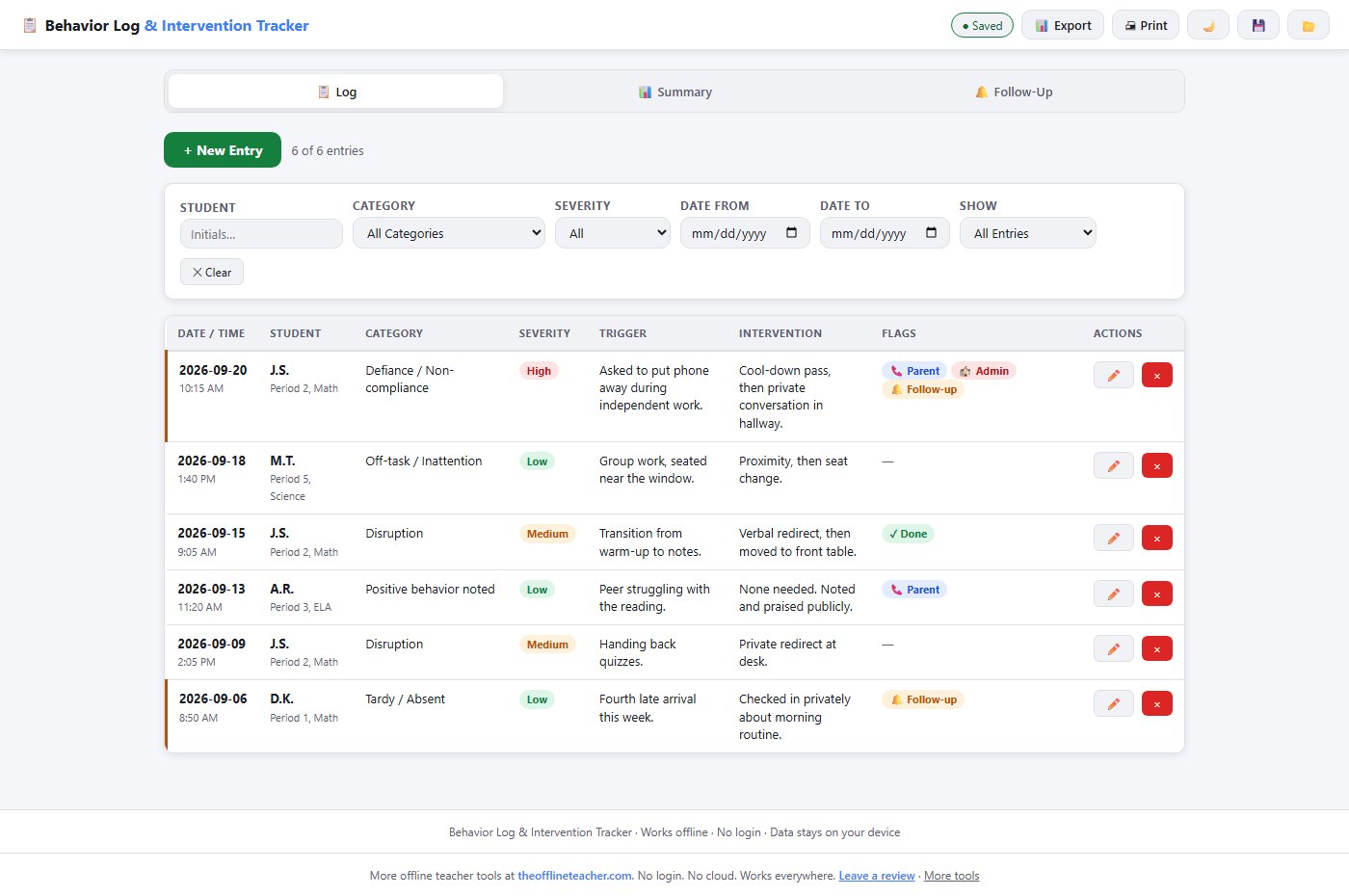
📋 Log
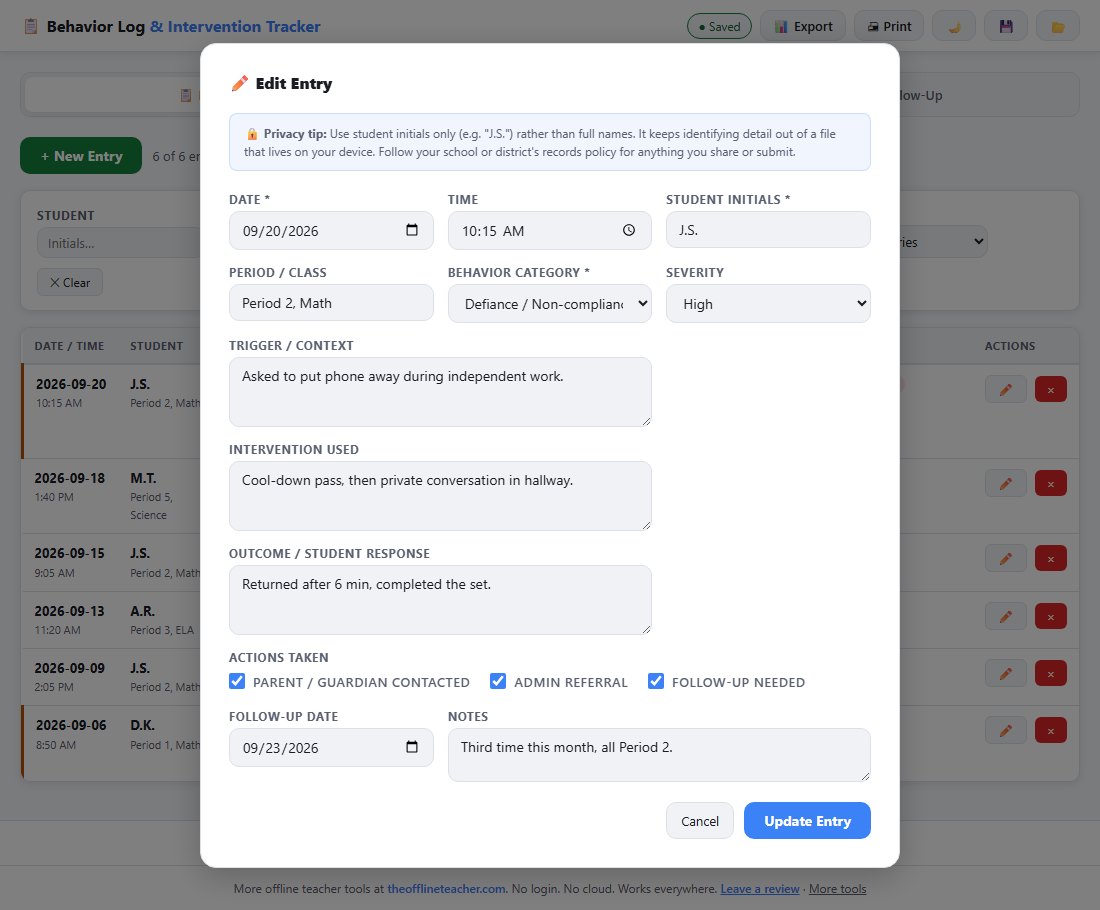
One row per incident: date, time, student initials, period, category and severity, then the three boxes that carry the weight later: Trigger / Context, Intervention Used, and Outcome. Tick Parent Contacted, Admin Referral or Follow-Up Needed as they apply. Twelve categories run from Off-task and Disruption through Aggression and Unsafe Behavior, plus Positive Behavior Noted.
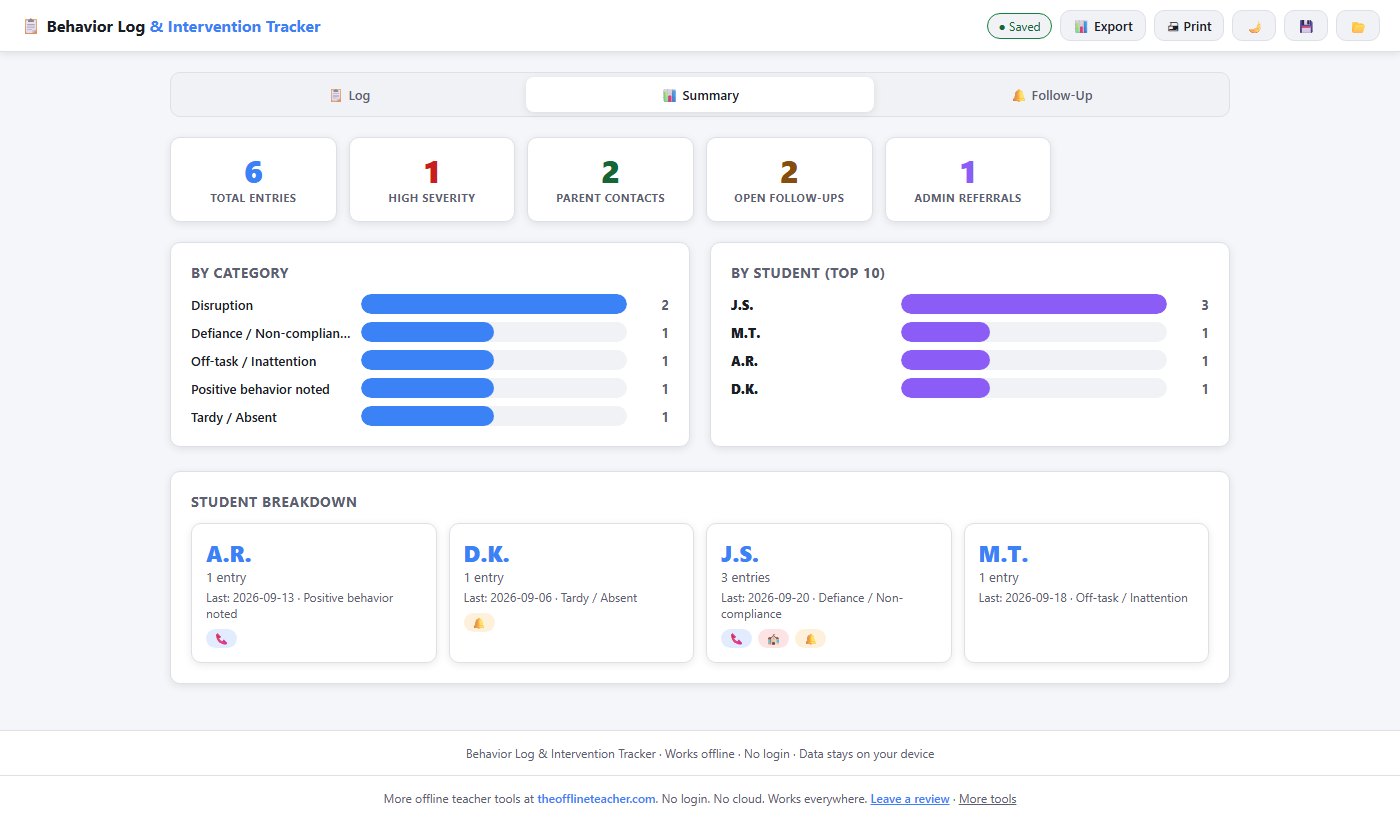
📊 Summary
The pattern, not the incident. Five counters across the top, then By Category and By Student bars that show where the behavior actually sits. The Student Breakdown gives one card per student, with flags for parent contact, admin referral and open follow-up.
🔔 Follow-Up
The promises you made. Every entry marked Follow-Up Needed lands here, soonest first, open ones above completed. Mark one Done and it stays visible as Complete.
🔍 Find it again
Filter by student, category, severity, date range or flag. The count above the table reads "3 of 24 entries", so a filtered view always reconciles against the whole log, and that line prints too.
See where the behavior actually sits
Usually not where it feels like it sits. The Summary turns a stack of incidents into something a referral can use: how many, which categories, which students, and which follow-ups are still open.
What you can hand over
Print the tab you are on (the filtered log, the summary, or the follow-up list) and the buttons, filters and row controls come off the paper. Filter to one student first and you walk into a conference with dates, what was tried, and what happened, instead of an impression.
Export writes every entry to a spreadsheet, including whether each follow-up is still open or already closed.
Your data stays on your device
Behavior records never touch a server, because there is no server. Everything saves in your browser, and you can save a backup file to your own computer and load it back any time. Nothing is uploaded, nothing is shared, and there is no account.
The app prompts you to use student initials rather than full names, which keeps identifying detail out of a file that lives on your own device. Follow your school or district's records policy for anything you share or submit.
What you get
Behavior_Log.htmlthe app itself: one file, opens in any modern browserQuick_Start_Guide.pdfhow to open it, a walkthrough of all three tabs, and troubleshootingPrintable_Companion.pdfa Behavior Incident Log & Follow-Up Sheet: paper incident blocks in the same Trigger / Intervention / Outcome structure for the moment you cannot stop to type, plus a follow-ups-owed table
Start logging today
Download it once from Teachers Pay Teachers, double-click it, and it works on a school laptop, a Chromebook or a desktop, with or without wifi.